
Google’s announcement about the end of Google Universal Analytics (version 3) and the transition to GA4 prompted many developers to rethink how we integrate analytics into our applications. This is how I migrated to GA4:
Step 1: Understanding the API changes
Unlike GA3, GA4 uses event-based data models and requires a property ID for interaction. The new API organizes data into metrics and dimensions more flexibly.
Step 2: Setting Up Credentials
I already had a Service Account setup on Google Cloud and had a private key file downloaded to authenticate the API calls correctly, so here I just had to go find the property for my application and enable Google Analytics Data API in the project.
Step 3: Code Refactoring
I had to refactor all my old code to accommodate the new version of Google Analytics. So I updated methods that fetch analysis data to conform to the new GA4 structure. Below are some snippets to show how I did it:
Iterating Over Analytics Data
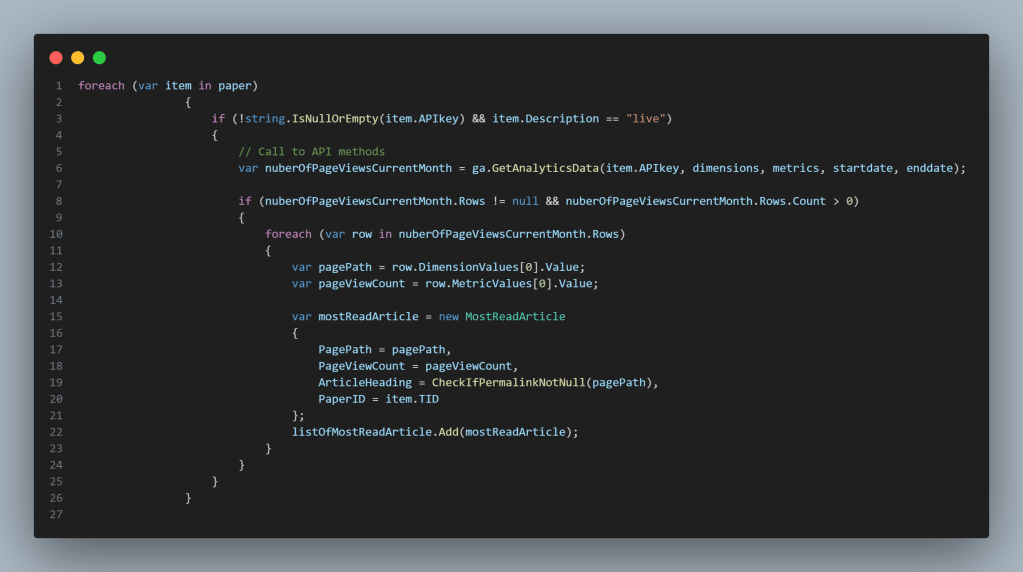
Here, I use a foreach loop to call the Analytics API in a helper class for various properties and extract key metrics like page views. This method is what ensures the Analytics Data is processed efficiently while handling null checks for robustness:
GoogleAnalytics Class
The GoogleAnalytics class encapsulates API interactions. Using the AnalyticsDataService from the GA4 library, I set up the authenticated requests and handled response parsing:
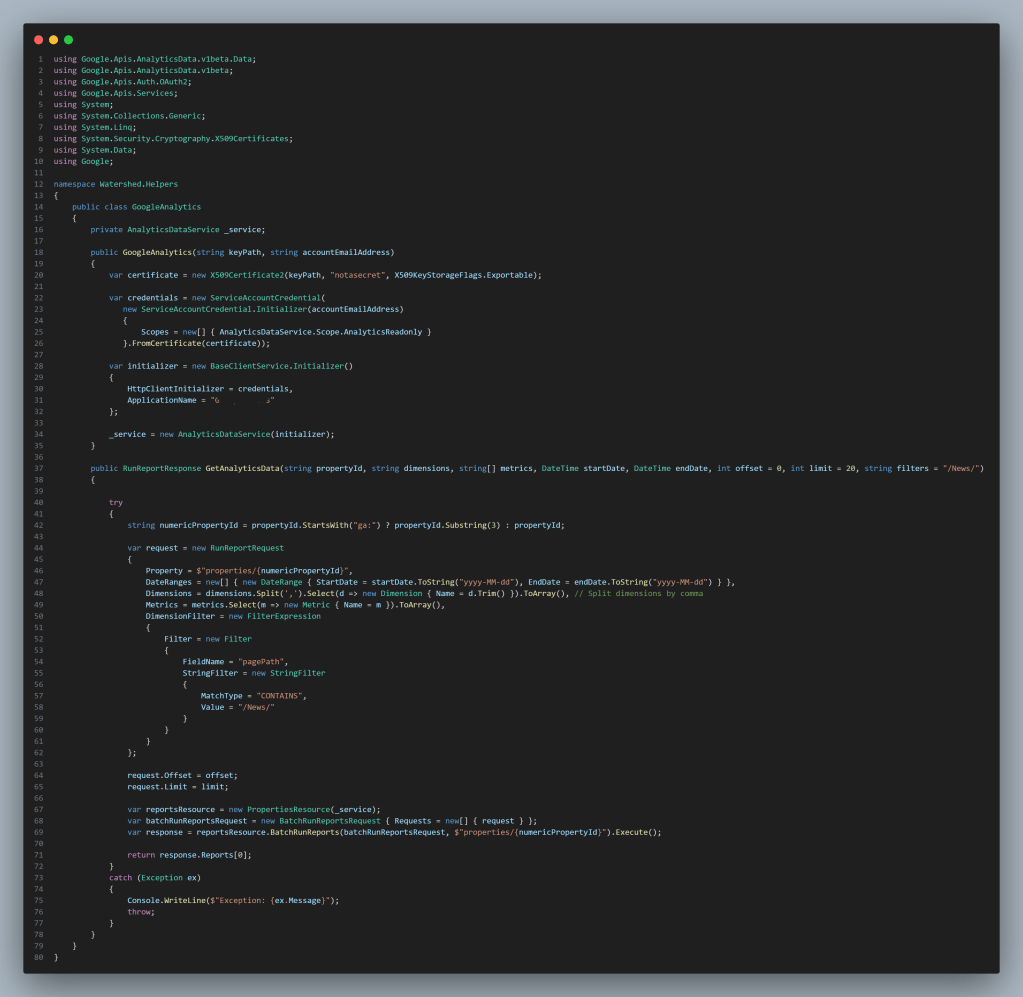
The GetAnalyticsData Method demonstrates how to query analytics data with filters, dimensions, and metrics.
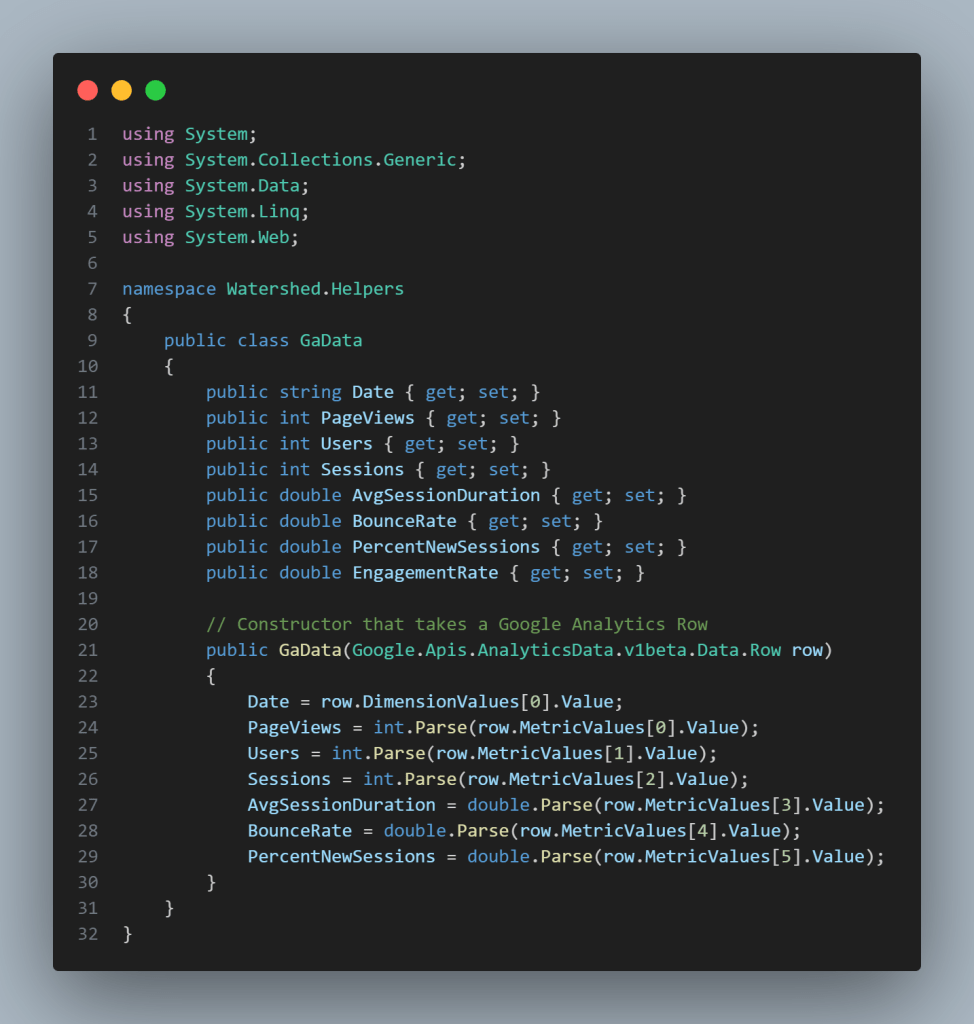
Key Challenges and Lessons
- Transitioning from session-based metrics in GA3 to event-based tracking in GA4 required rethinking how the data is structured and queried.
- I had to read up a lot about the Google Analytics Data V1beta Client.
- I learned that null checks are really important to make sure nothing goes wrong, and if it does I put error handling in place.
Subscribe to Mo’s blog to stay updated on my latest posts, tips, and insights for developers and tech enthusiasts. Don’t miss out—join the journey today!



 Days in the Life of Mo
Leave a Reply